 Slow Bio Hack
Introduction to Ergonomic Biohacking for Beginners
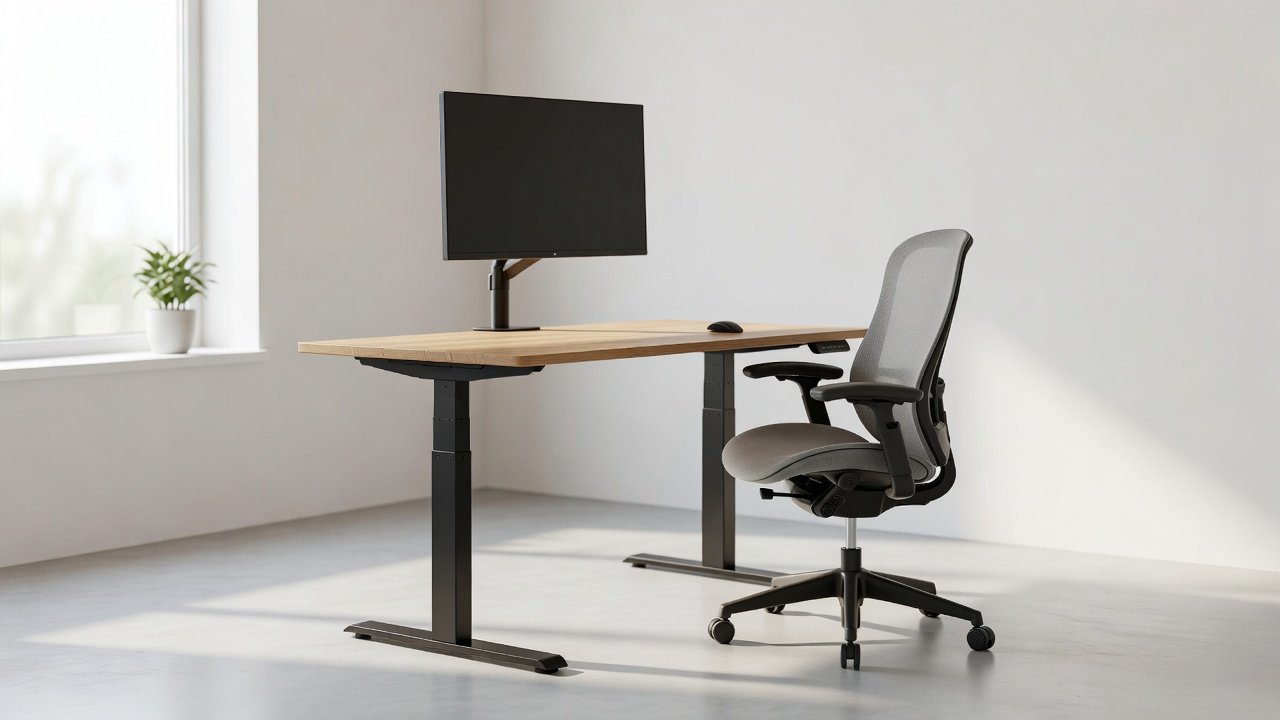
Biohacking your workspace begins with recognizing how environmental adjustments directly influence physical health and mental performance. In 2026, individuals working from home or in traditional offices increasingly seek simple methods to enhance daily wellness without relying on advanced technology. This comprehensive guide delivers beginner-friendly biohacking strategies focused on posture improvement, strain reduction, and productivity gains through practical, low-cost modifications. Ergonomics centers on aligning your body with furniture and tools to minimize repetitive stress injuries and support sustained energy levels throughout the workday.
Poor workspace design often leads to chronic issues such as neck pain, lower back discomfort, eye fatigue, and diminished concentration. By implementing targeted changes, you can transform an ordinary desk area into a supportive environment that promotes long-term wellness. These hacks draw from established principles of human factors engineering and can be applied immediately using items already available in most homes.
The Science Behind Ergonomic Biohacking
Research in occupational health demonstrates that neutral body positioning reduces muscle tension and improves circulation. When your spine maintains its natural curves and joints stay at comfortable angles, the body expends less energy on stabilization. This efficiency translates into better focus and fewer afternoon slumps. Biohacking extends these concepts by treating the workspace as a modifiable system that can be fine-tuned for individual needs, much like adjusting diet or sleep routines for optimization.
Setting Up Your Ideal Desk and Chair
Start by selecting or adjusting a chair that provides firm lumbar support. Your feet should rest flat on the floor with knees bent at approximately 90 degrees. The seat depth must allow two to three fingers of space behind the knees to prevent pressure on the thighs. If your current chair lacks height adjustment, place a stable footrest underneath to achieve proper alignment. Desk height should permit your elbows to remain close to your body at 90-degree angles during typing. For non-adjustable surfaces, consider adding an under-desk keyboard tray. Real-world examples include using a sturdy cardboard box as a temporary monitor stand or placing a rolled towel behind the lower back for immediate lumbar reinforcement.
Optimizing Monitor Positioning
Position your primary monitor so the top edge sits at or just below eye level and approximately an arm's length away. This placement prevents forward head posture and reduces cervical strain. For dual-monitor setups, angle both screens slightly toward the center to minimize excessive neck rotation. Calibrate brightness and contrast to match ambient lighting conditions, and activate blue-light filters during evening hours to protect sleep quality. Users who follow these guidelines frequently report reduced headaches and improved visual comfort after just one week of consistent application.
Lighting Adjustments for Focus and Eye Health
Strategic lighting plays a critical role in maintaining alertness and reducing visual fatigue. Position your desk to receive indirect natural light from a window while avoiding direct glare on screens. Supplement with adjustable task lamps that provide even illumination across your work surface. Full-spectrum LED bulbs that simulate daylight help regulate circadian rhythms during extended indoor sessions. Experiment with layered lighting combinations—overhead fixtures paired with desk lamps—to eliminate harsh shadows that can cause eye strain over time.
Keyboard, Mouse, and Peripheral Ergonomics
Keep your keyboard and mouse close enough that your shoulders remain relaxed. Wrists should stay straight rather than bent upward or downward. Consider a split keyboard design if you experience wrist discomfort, or add a gel wrist rest for neutral positioning. Vertical mice can reduce forearm pronation for some users. Test different configurations over several days to determine what feels most comfortable for your specific hand size and movement patterns.
Incorporating Movement Breaks Effectively
Prolonged sitting restricts blood flow and contributes to stiffness. Implement the 20-20-20 rule: every 20 minutes, shift your gaze to an object 20 feet away for 20 seconds. Additionally, stand and perform gentle stretches every 45 to 60 minutes. Effective movements include shoulder rolls, seated spinal twists, and ankle circles. During longer breaks, walk around your home or office while taking calls. These micro-movements enhance oxygen delivery to the brain and support metabolic health, aligning with core biohacking goals of optimizing bodily systems through simple interventions.
Step-by-Step Guide to Creating an Ergonomic Station
- Assess your current setup by noting areas of discomfort after two hours of work.
- Adjust chair height and add temporary lumbar support using household items.
- Align monitor height and distance, then test typing posture with elbows at 90 degrees.
- Optimize lighting to eliminate glare and shadows across the workspace.
- Introduce scheduled movement reminders via phone apps or simple timers.
- Document initial comfort levels and re-evaluate after seven days of adjustments.
- Iterate by fine-tuning one element at a time until the setup feels supportive throughout the day.
Real-World Before-and-After Setup Examples
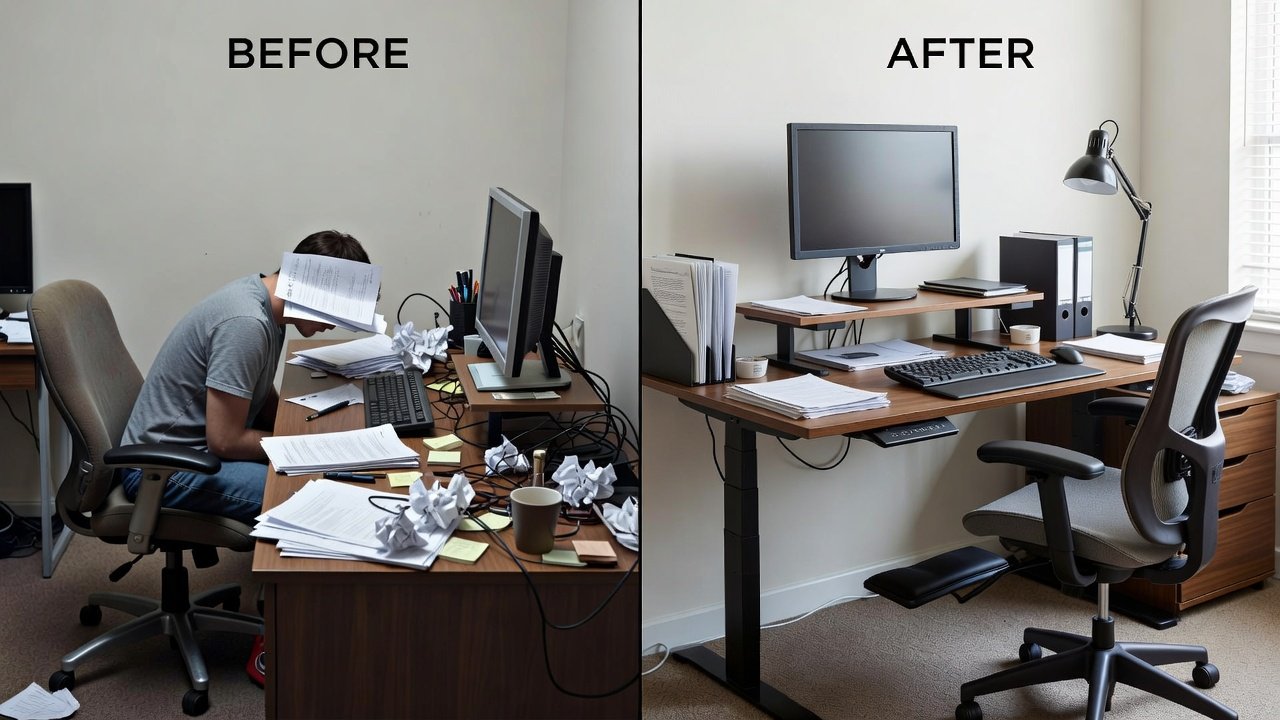
Consider a typical beginner scenario involving a laptop placed directly on a dining table. Initial problems included downward neck tilt and unsupported wrists. After elevating the screen with stacked books, adding a separate keyboard, and using a firm cushion for back support, the user experienced noticeably less neck tension by the end of the first workday. Another example features a couch-based workspace that encouraged slouching. Transitioning to a kitchen chair with proper foot placement and a side table for monitor elevation resulted in sustained energy and fewer mid-afternoon breaks for stretching.
Budget Versus Premium Options Comparison
Budget solutions emphasize creativity with existing items such as textbooks for monitor risers, rolled towels for lumbar support, and free timer apps for movement prompts. These approaches deliver meaningful improvements when alignment principles are followed correctly. Premium alternatives provide refined adjustability through features like dynamic lumbar mechanisms, height-variable standing desks, and contoured seating surfaces. While premium equipment offers convenience and durability, the core benefits stem from proper positioning rather than price point. Many beginners begin with budget modifications and selectively invest in upgrades only after identifying persistent pain points through personal tracking.
Common Mistakes to Avoid
- Neglecting foot support, which forces compensatory slouching in the lower back.
- Positioning monitors too low or too close, leading to forward head posture and eye strain.
- Ignoring regular movement, allowing muscle tightness to accumulate over hours.
- Using inconsistent lighting that creates glare or deep shadows on work surfaces.
- Overlooking peripheral placement, resulting in reaching motions that strain shoulders.
Tracking Progress and Measuring Results
Maintain a brief daily log noting posture comfort, energy levels, and any recurring discomfort. Photograph your setup weekly to visually track improvements. Free smartphone applications can remind you of breaks and log adherence rates. After two weeks, compare entries to identify which adjustments produced the greatest benefits. This data-driven approach mirrors broader biohacking practices of measurement and iteration.
FAQ
How long does it take to notice benefits from ergonomic workspace changes?
Most beginners report reduced discomfort within three to five days, with more substantial posture improvements emerging after consistent use for one to two weeks.
Can these hacks be implemented without purchasing any new equipment?
Absolutely. The majority of adjustments rely on household objects such as pillows, books, and timers. Focus first on body alignment before considering any optional upgrades.
What should I do if I share my workspace with family members?
Select adjustable furniture or create modular setups that can be quickly reconfigured. Document preferred settings for each user to allow fast transitions.
How can I stay consistent with movement breaks throughout the day?
Link breaks to existing habits, such as stretching while brewing tea or walking during phone conversations. Accountability partners or simple habit-tracking apps also help maintain momentum.
Additional authoritative information on workplace ergonomics is available from the Occupational Safety and Health Administration, the Centers for Disease Control and Prevention, and Mayo Clinic.
Begin with a single adjustment today and progressively refine your environment. These foundational biohacks create compounding benefits for posture, focus, and overall daily wellness over time.

No comments yet. Be the first!